 Cardinal Review
Requirements
- Pterodactyl Panel 2.0 with extensions, PHP 8.3 or newer.
- The panel's scheduler cron, which Pterodactyl already needs. The full edition uses it to record resource history.
- Outbound HTTPS only if you share errors with Cardinal Cloud or use the AI assistant.
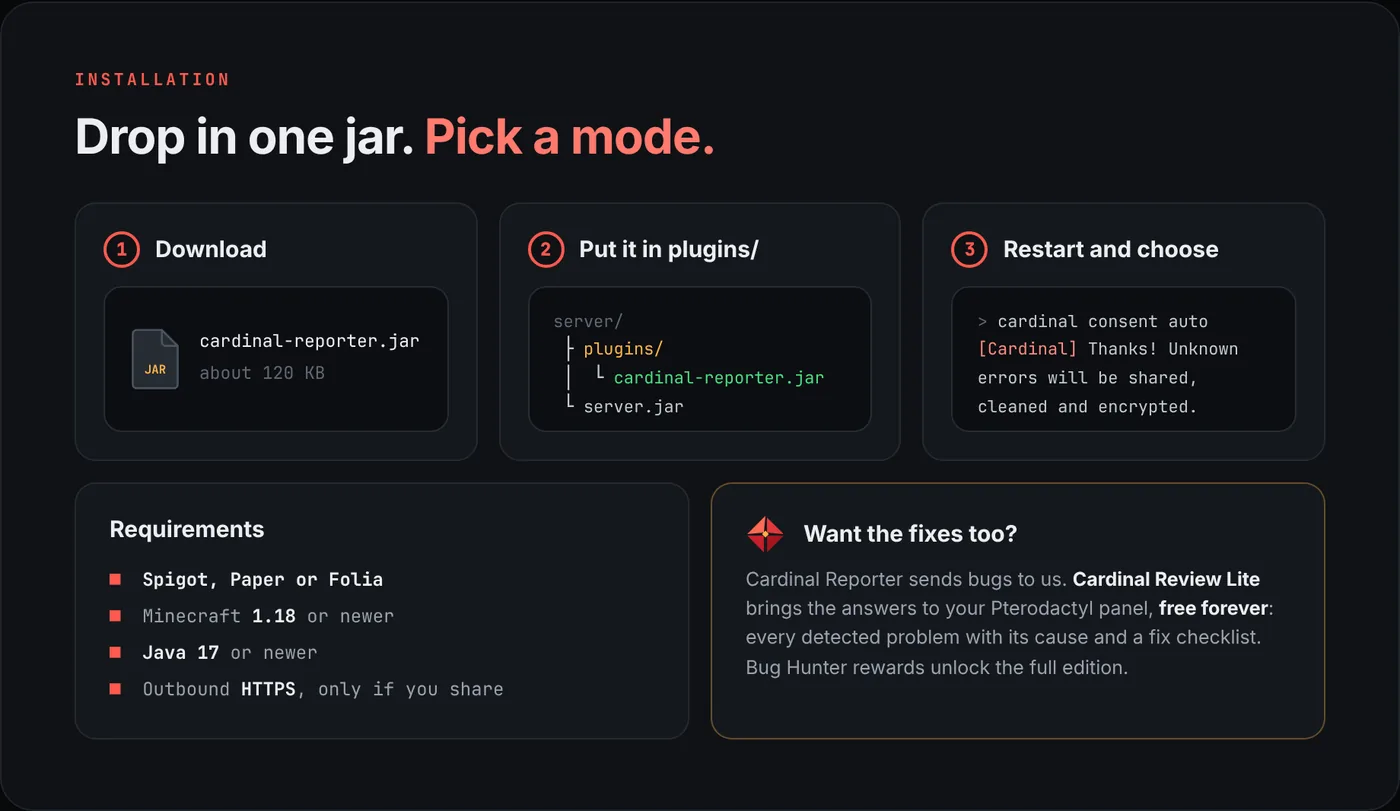
- For Cardinal Reporter: Spigot, Paper or Folia on Minecraft 1.18+, Java 17+.
Install Cardinal Review Lite
- Download
cardinal-review-lite-1.10.0.pteroext. - In the panel open Admin › Extensions and press Install extension.
- Pick the file, tick Enable after install and confirm.
- Reload the page. Every server now has a Cardinal Review tab, and known errors show up above the console.
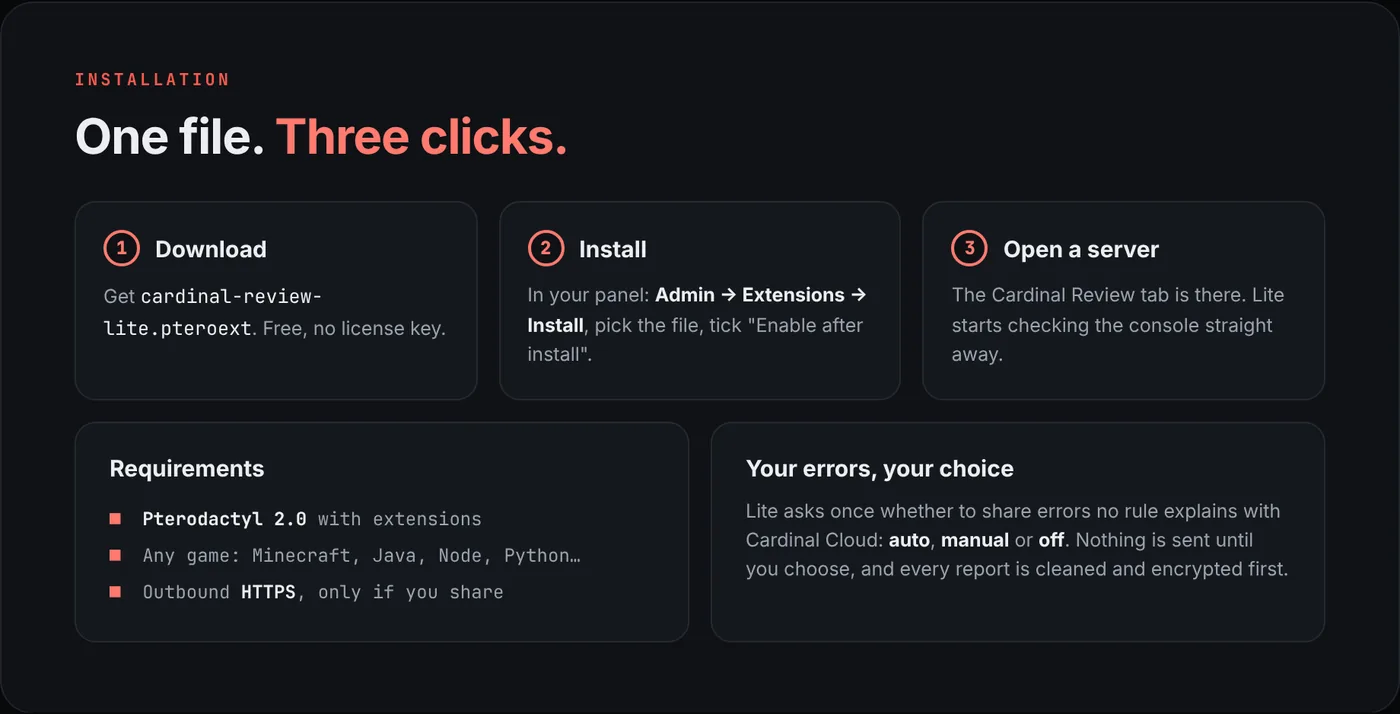
The first time a root admin opens a server, Lite asks whether it may share errors no rule explains with Cardinal Cloud: auto, manual or off. Nothing is sent until you choose.
Upgrade to the full edition
The full edition and Lite share the same extension id, so upgrading is installing the full file over Lite. Settings, history and your Cloud choice stay.
- Buy Cardinal Review on BuiltByBit and download
cardinal-review-<version>.pteroextfrom your BuiltByBit downloads. - In Admin › Extensions press Install extension and pick the file. Confirm replacing the installed version.
- Reload. The Performance, Logs and AI tabs unlock. There is no license key to enter.
Add the Cardinal Pro Addon
Pro is a separate extension that plugs into the full Cardinal Review. It stays off on Lite.
- Make sure the full Cardinal Review is installed and enabled.
- Download
cardinal-review-pro-<version>.pteroextfrom BuiltByBit and install it the same way. - Open a server with findings: "Fix it for me", updates and the server check appear in the Cardinal Review tab. Every change can be undone from the history.
Settings and permissions
Settings live in Admin › Extensions › Cardinal Review:
- Monitoring: resource history on or off, servers sampled per minute, retention, spike threshold, live console alerts.
- Logs: largest log file to scan, extra log paths to offer.
- AI: on or off, personal keys, who may use panel keys, default provider, daily limit per user, answer length, hiding public IPs.
- Cardinal Cloud: ask, auto, manual or off.
Subuser permissions
ext.cardinal-review.view: the Cardinal Review page, history, incidents, log scans and console alerts.ext.cardinal-review.ai: AI diagnostics on that server.
Reading logs also follows the panel's own permissions: the console needs websocket access and log files need file read access.
AI keys (full edition)
The AI assistant is optional. Log analysis, monitoring, the health score and console alerts work without a key.
- Each user can add a personal key under Account › AI keys: Google Gemini, OpenAI ChatGPT, Anthropic Claude or Moonshot Kimi.
- Admins can set panel-wide keys in the extension settings and choose who may use them.
- Passwords, tokens, keys, webhooks and e-mail addresses are removed before anything is sent. Keys are stored encrypted and never sent back to the browser.
Cardinal Reporter (Spigot, Paper, Folia)
- Download
cardinal-reporter-1.1.1.jarand put it inplugins/. - Restart the server. Out of the box the plugin only watches; admins are asked once what it may share.
- Choose with
/cardinal consent auto(counts for Bug Hunter rewards) or/cardinal consent manual. - Check with
/cardinal status: mode, reward progress and your Reporter ID.
Commands
/cardinal status: mode, Bug Hunter count and your Reporter ID/cardinal insights: players, chunks, TPS and MSPT, lag spikes, errors by plugin/cardinal consent <auto|manual|ask|off>: what may be shared/cardinal share [note]: send a report now/cardinal preview: see exactly what a report would hold/cardinal reload: reload config.yml
Permission: cardinalreporter.admin (default: op). Turn insights off with insights.enabled: false.
Updating
- Extensions: install the newer .pteroext the same way. Your data stays.
- Reporter: replace the jar in
plugins/and restart.
Troubleshooting
- No Cardinal Review tab: check the extension is enabled in Admin › Extensions, then reload the page with a cleared cache.
- No resource history (full edition): the panel's scheduler cron must run every minute.
- Subusers see nothing: give them
ext.cardinal-review.viewon that server. - Still stuck? Ask on our Discord with your panel version and the log.